The Tech Buying Decision Kit
Compare up to four gadgets on what matters to you, see what they really cost over the years, and buy at the right price.
$12
Get the template- Google Sheets, Excel, Numbers
- Free updates
- Instant download after checkout
What's inside
- Compare tab: up to 4 products, 10 criteria, your own weights, automatic best match and best value
- True Cost tab: price plus accessories, warranty, subscriptions and resale value, per year and per month
- Price Tracker: log prices from any store and see the lowest and average you've seen
- Checklists for laptops, phones, tablets, headphones and e-readers
- When to Buy calendar of the usual yearly sales and launches
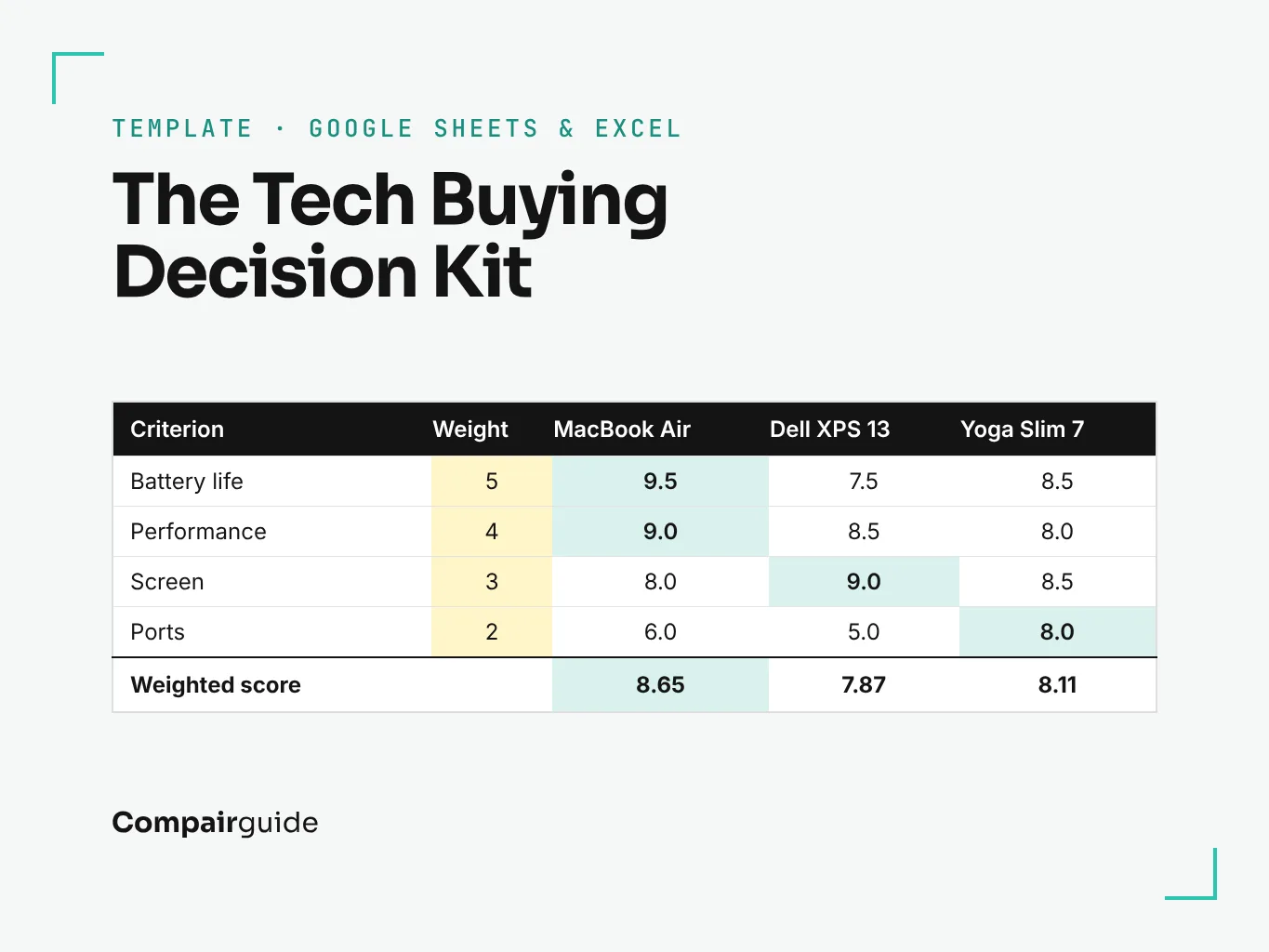
- A worked example (choosing a laptop) so you can see how it fits together
Made for
- Anyone about to spend $300 or more on a gadget
- People stuck between two or three options
- Families comparing gifts before Black Friday
- Small teams buying laptops for staff
Why a spreadsheet beats another “best of” list
Reviews tell you which product is best for the reviewer. The kit helps you work out which is best for you. You decide how much battery life, the screen or the price matter, score each option, and the sheet does the maths.
How it works
- Type in your options. Up to four products on the Compare tab.
- Set your priorities. Give each criterion a weight from 0 (doesn’t matter) to 5 (deal-breaker).
- Score each product. Use reviews, including ours, to score each one from 1 to 10.
- Read the answer. The sheet shows your best match and the best value for money, and highlights the winner in every row.
Then check the True Cost tab: a cheaper laptop that needs a dock and a warranty can cost more per year than the one you thought was expensive.
Pairs well with our comparisons
Every comparison on Compairguide gives scores you can copy straight into the kit.
Questions
Do I need Excel?
No. It works in Google Sheets (free), Excel and Apple Numbers. Open the file, or in Google Sheets choose File, then Import.
Is it a one-time payment?
Yes. You pay once and keep the file, including future updates sent to the email you bought with.
Can I use it for things other than tech?
Yes. Rename the criteria on the Compare tab and it works for anything you are choosing between, from cars to prams.
I have a question before buying.
Email admin@compairguide.com and we'll reply within two working days.
The Tech Buying Decision Kit
Compare up to four gadgets on what matters to you, see what they really cost over the years, and buy at the right price.
Get it for $12Not ready? Start with the free checklist.